


New article
Recently updated
Opening a new support ticket

Who is this article for?
Customers looking for help with raising a support request.
No special access or permissions are required.
Whether you're experiencing an issue or need help with a feature, our experts are here to support you. We always recommend checking our Help articles first, as you may find we already answered your question!
If not, one of the members of our Support team will be able to look into it for you.
This article will show you how to get in touch.
1. Opening a ticket
To open a ticket:
-
Go to Ideagen Luminate.
-
Click the Support tile.

-
Select the solution you need help with.
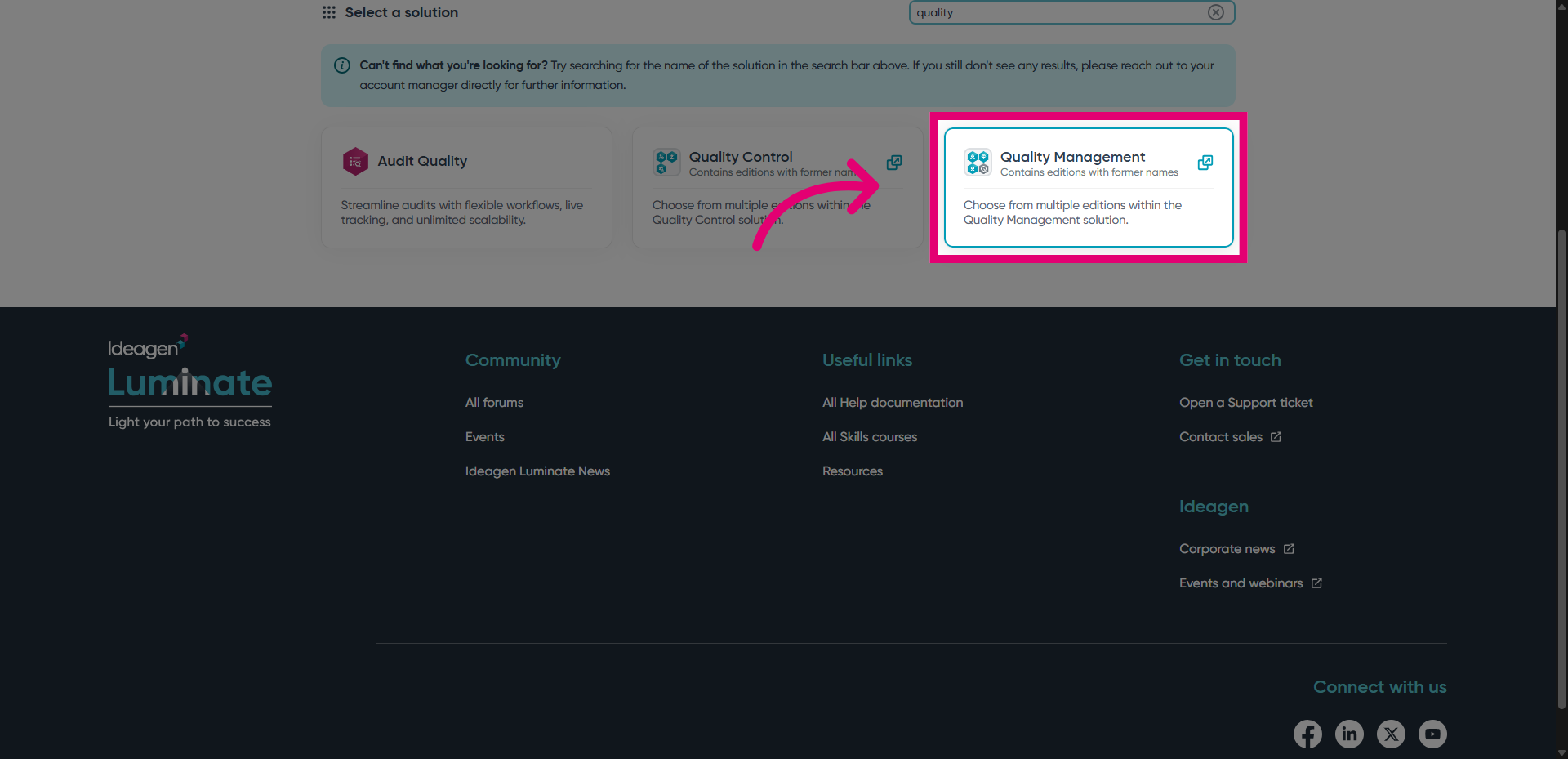
-
Select its edition.
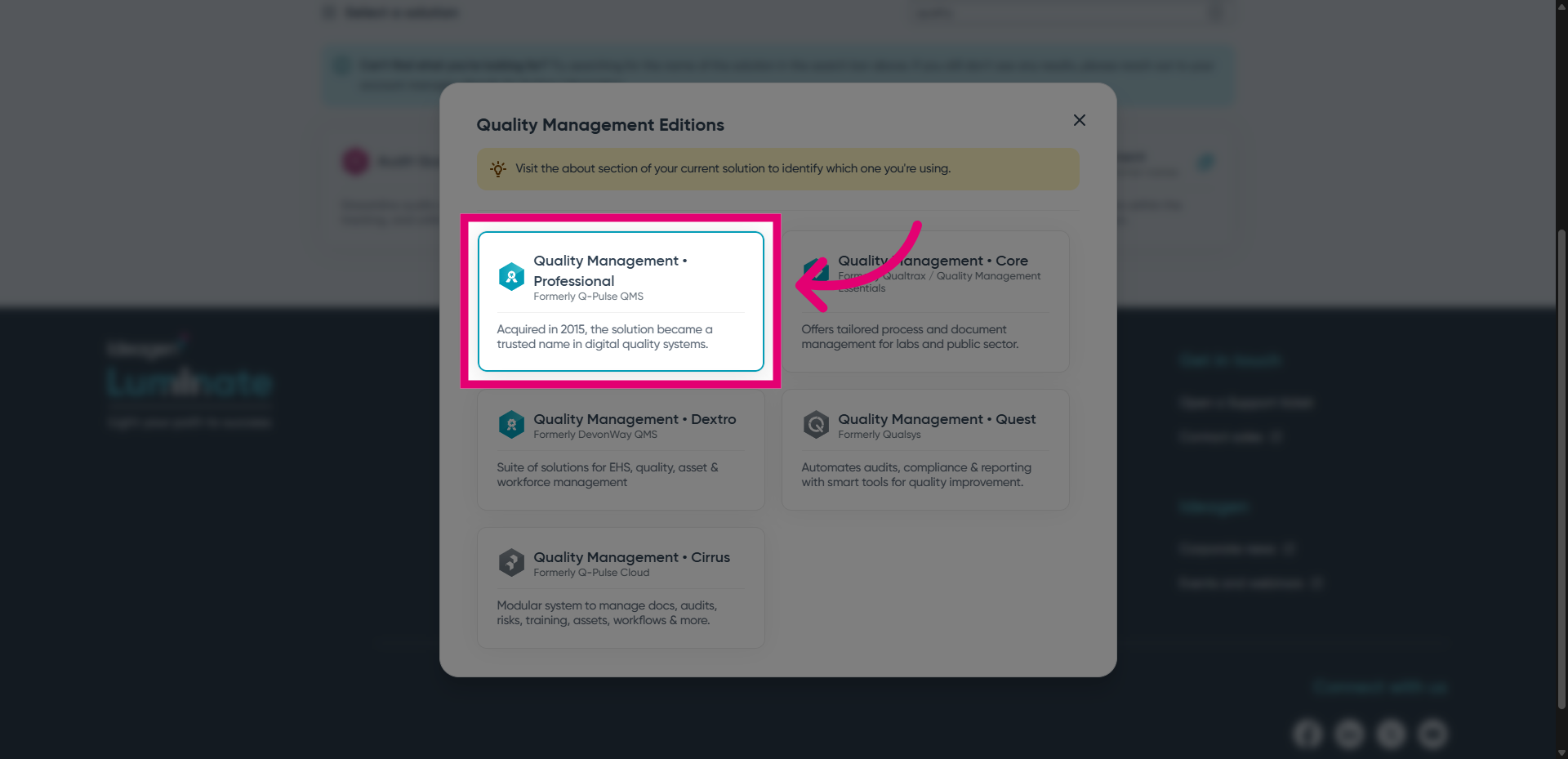
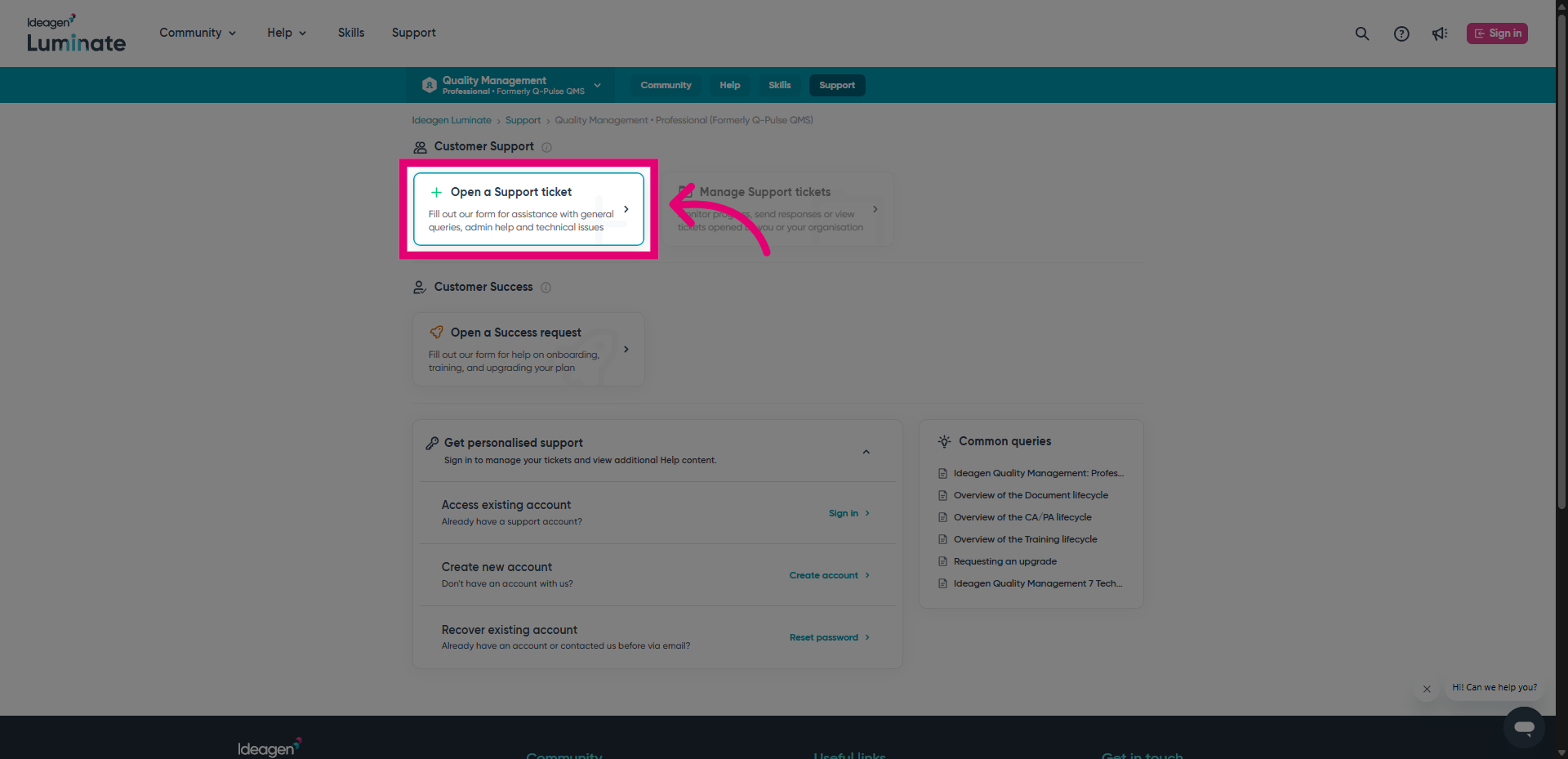
- Click Open a ticket.
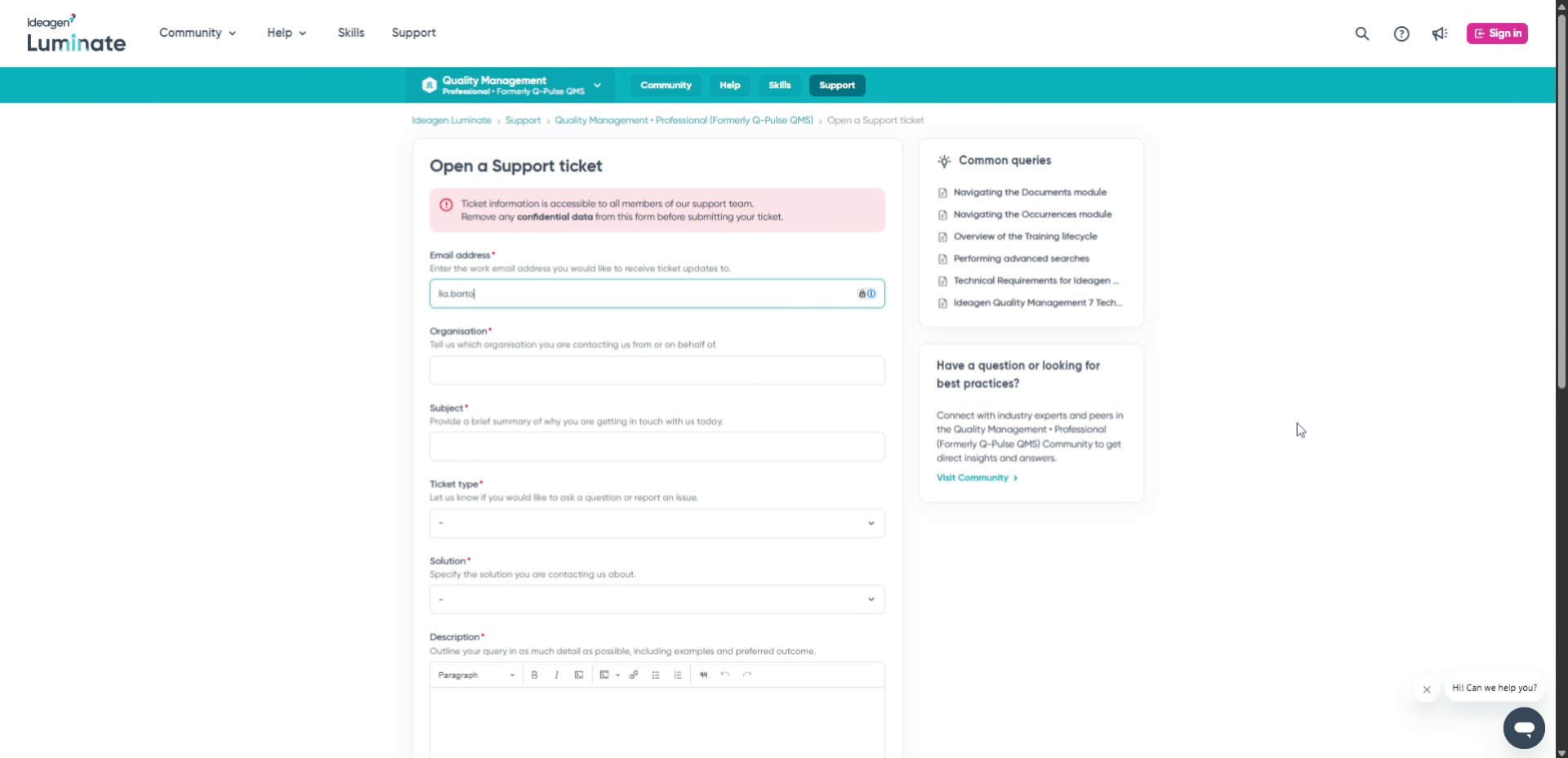
This will take you to the support form.
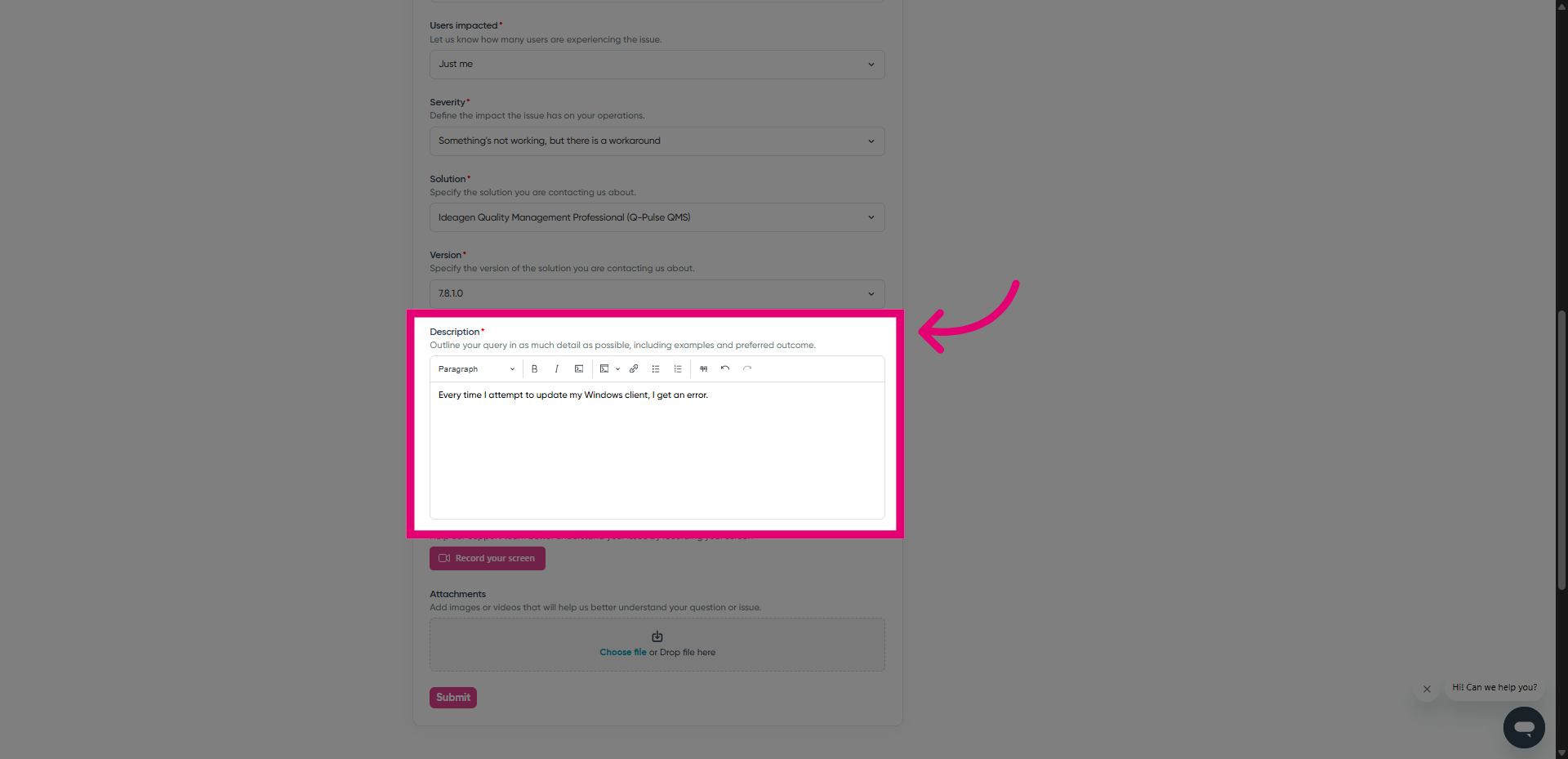
- Fill out all mandatory fields.
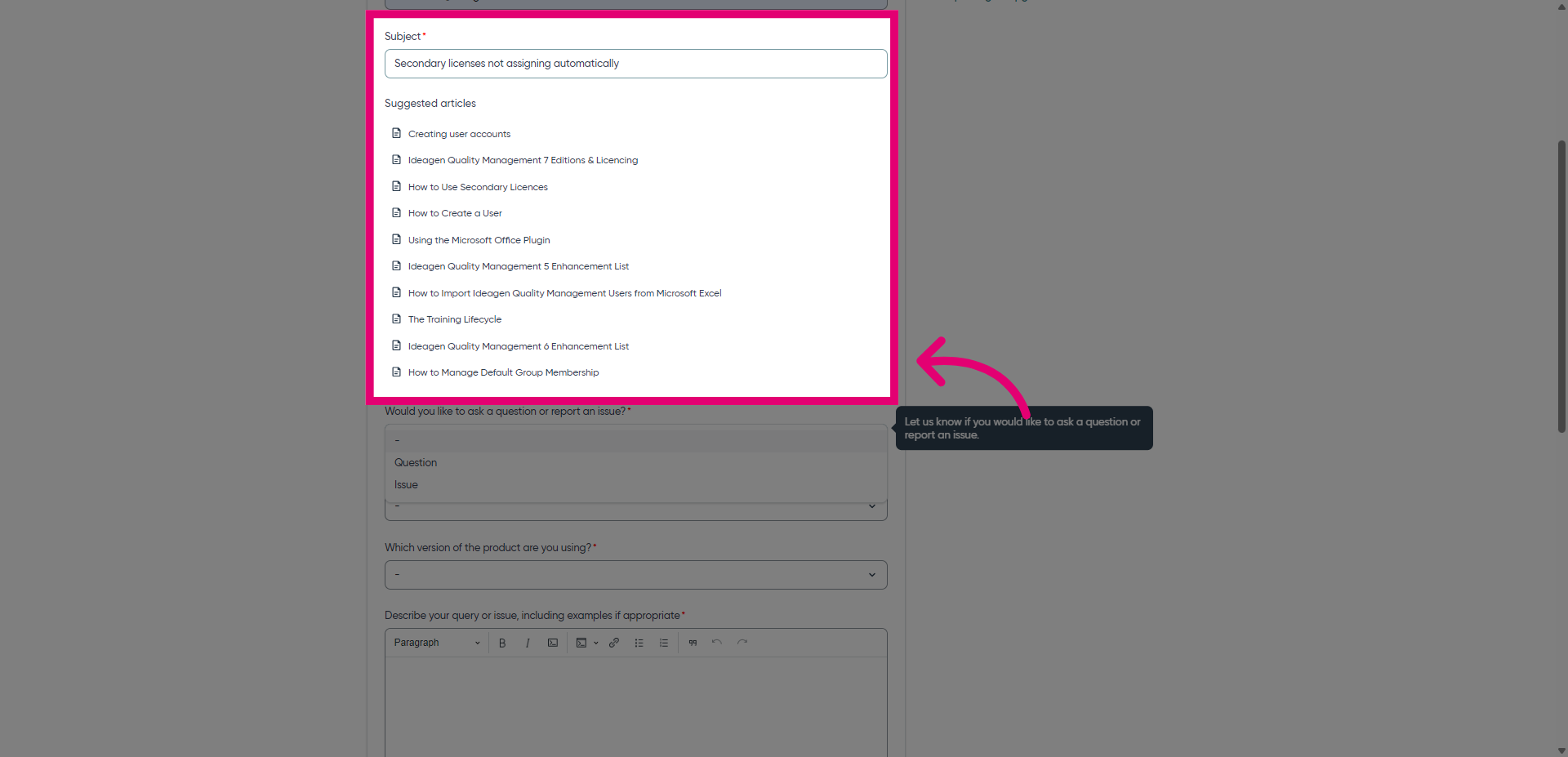
- Review recommended content.
When you enter the subject of your query, Help will recommend articles that may resolve it.
-
If you still need to contact us after reviewing the recommended articles, continue filling out the form.
-
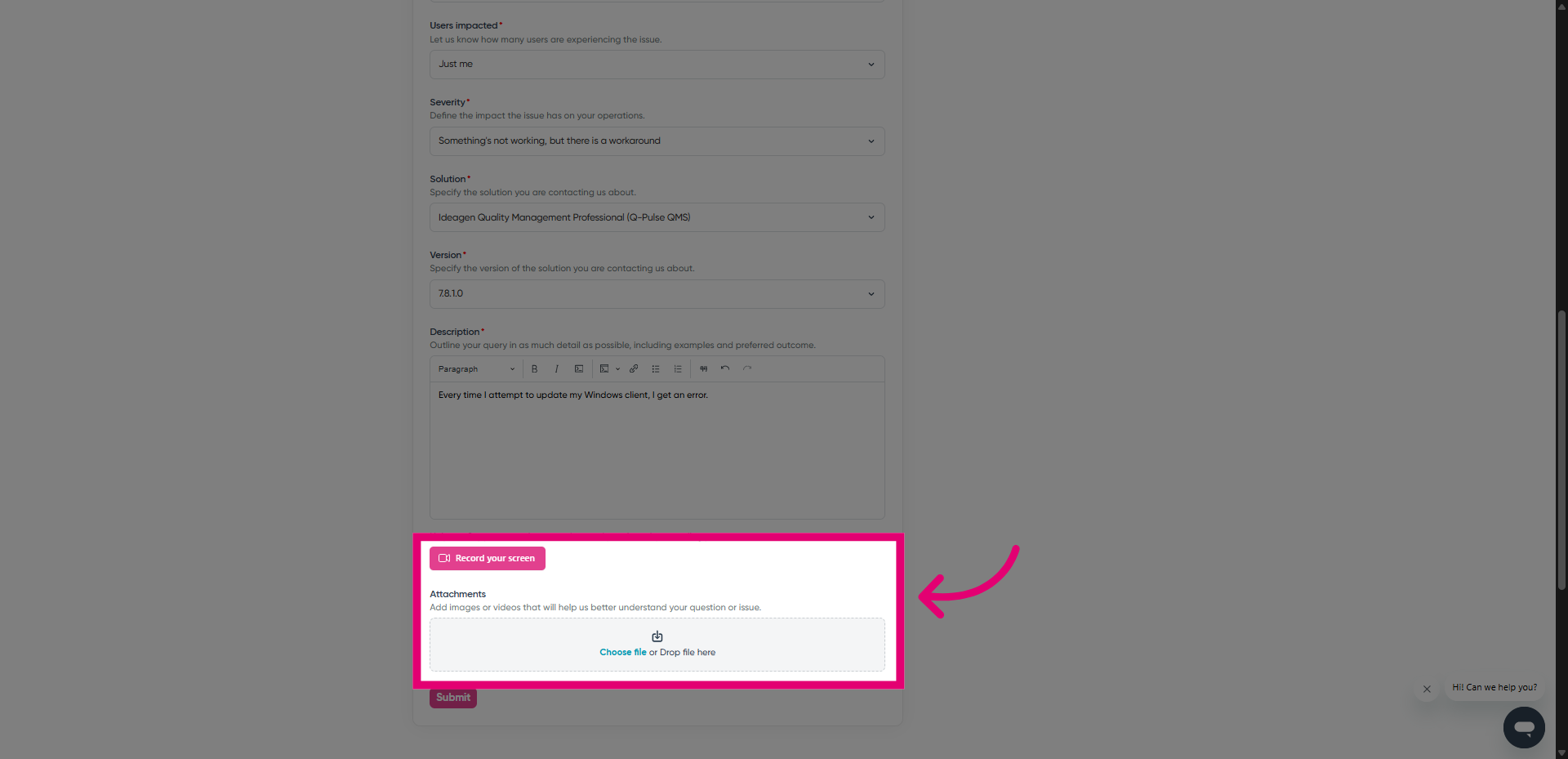
Add relevant files.
We always recommend that you attach screenshots, videos, or logs that illustrate what you need help with.
Unsure how to record a video?
We have a guide on submitting screen recordings that walks you through the process.
- Click Submit.
You should receive an email with a summary of your ticket to the address entered on the form. We will reply to your ticket as soon as possible, within the specified SLA for your solution.