New article
Recently updated
Creating an incident summary using Mazlan

Who is this article for?
Users working with Mazlan assistants.
Mazlan Home is required.
This article outlines how to create an incident summary using a Mazlan assistant.
You will learn how to launch the incident bow-tie assistant, provide the required information, and export your findings to Microsoft Word.
Creating an incident summary
To create an incident summary:
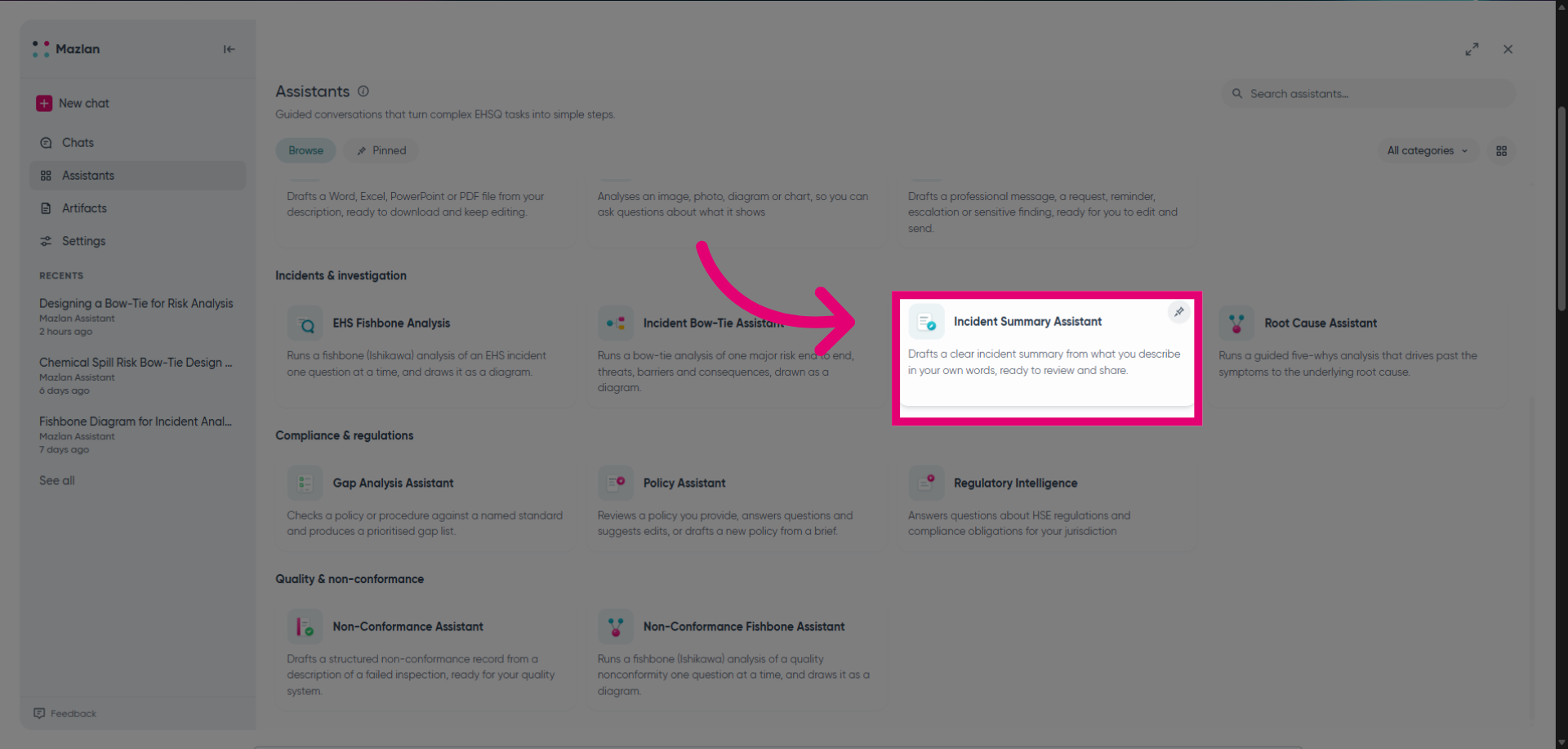
Launch the incident bow-tie assistant to get started.
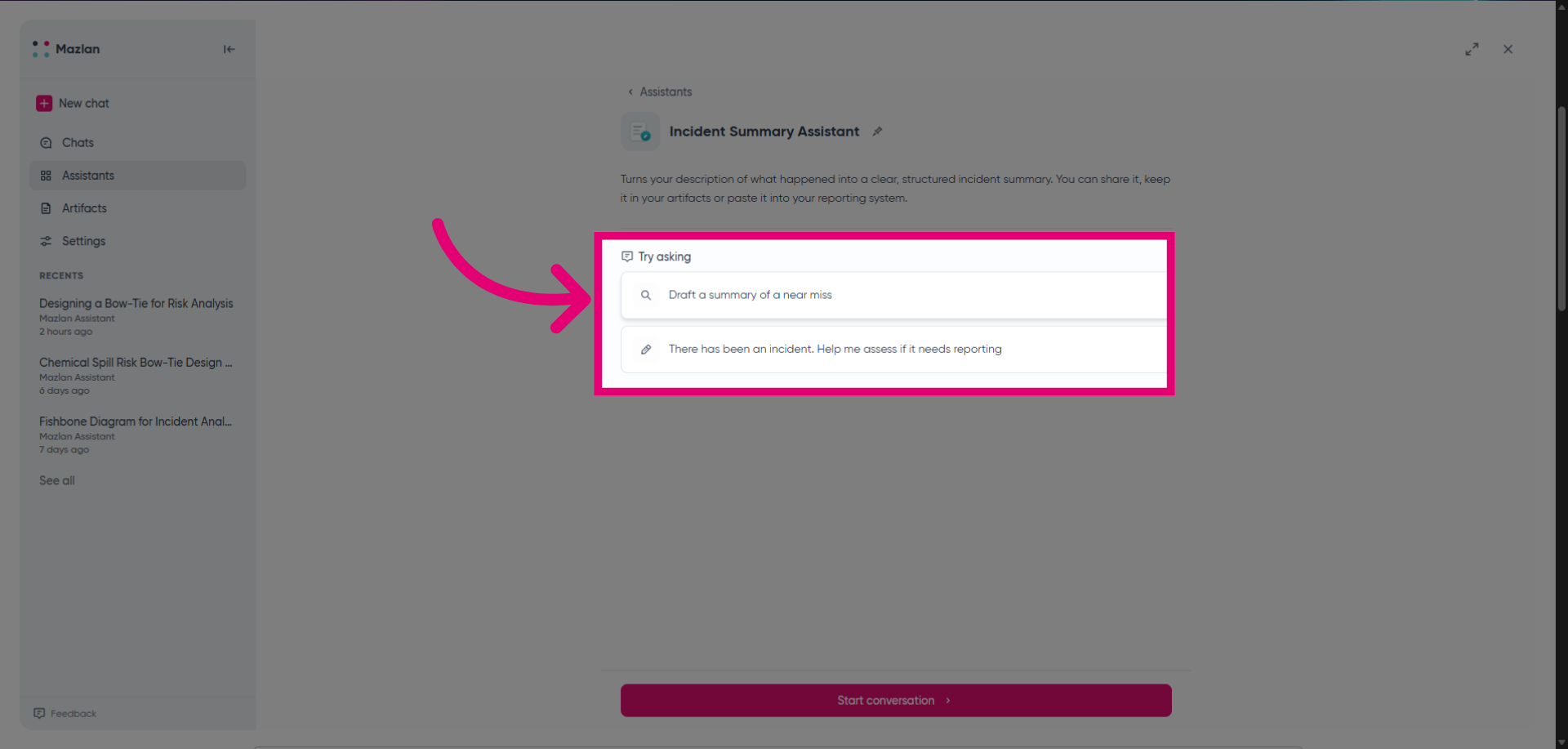
Start a conversation and explain your requirement to Mazlan or select one of the suggested conversations.
Provide Mazlan with the required information to begin the process.
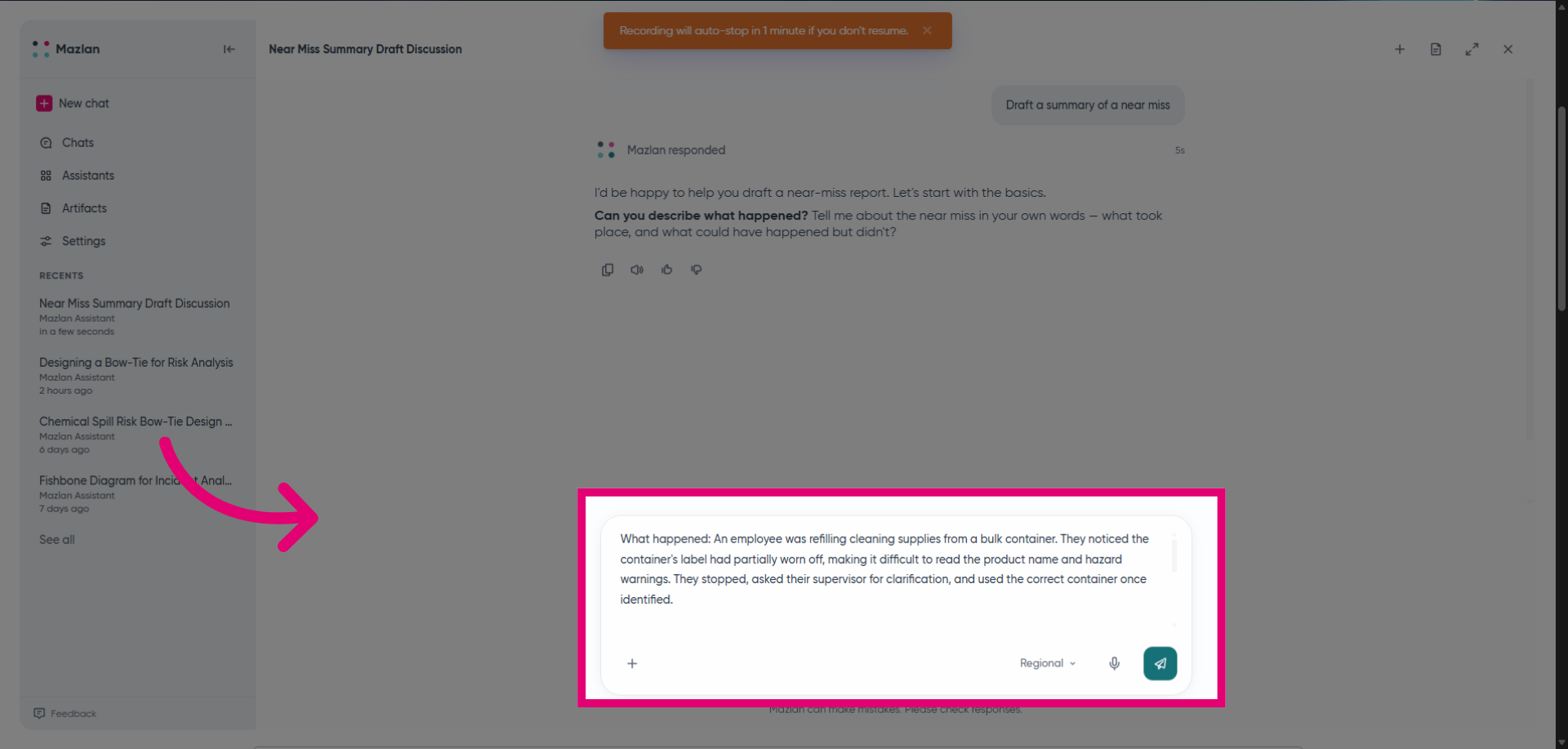
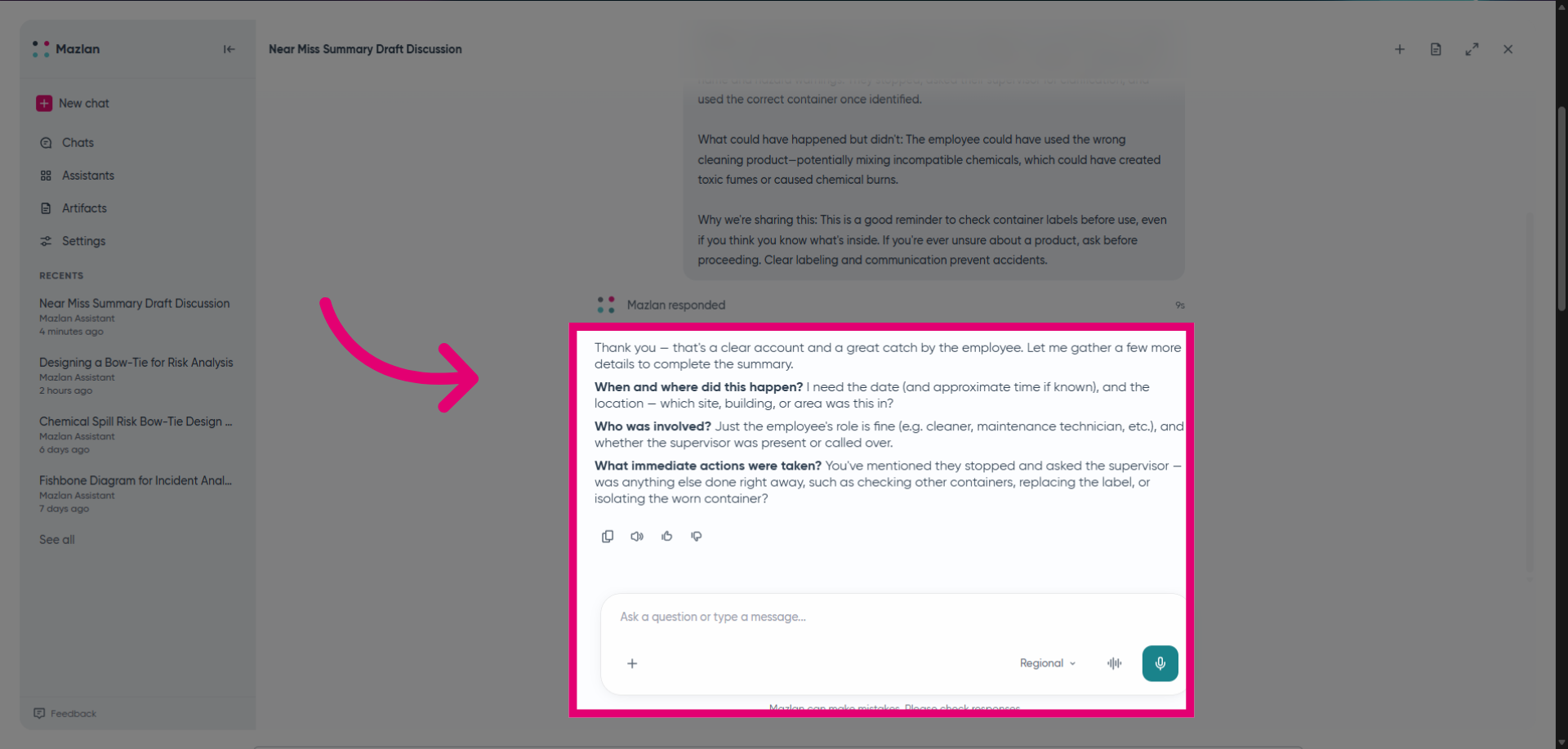
Continue providing information as Mazlan asks for more details until it has enough to create the output.
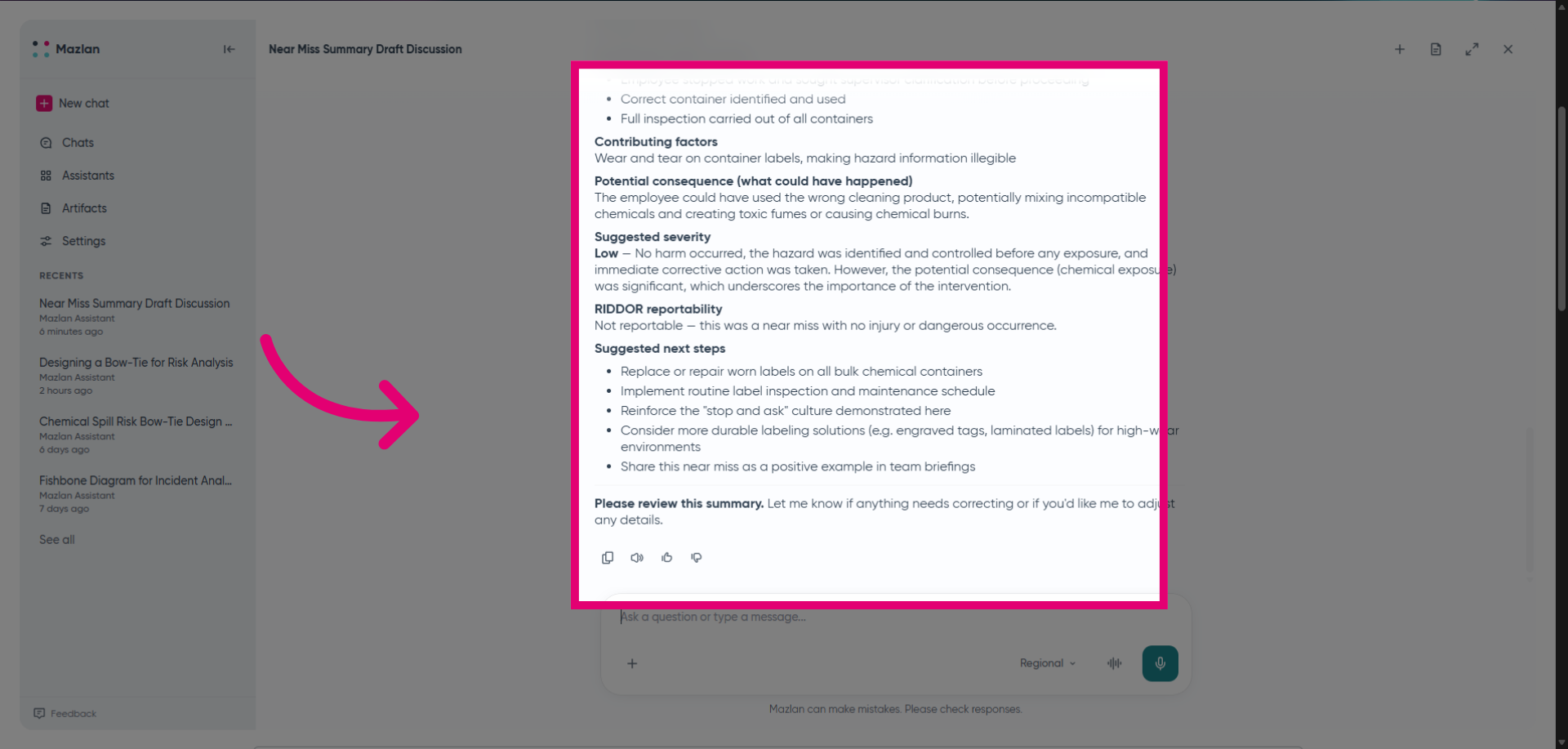
Review and approve the information displayed by Mazlan, then export the findings to Microsoft Word for sharing or filing in your Ideagen solution.