


New article
Recently updated
Frequently asked questions for Ideagen Luminate Skills

Who is this article for?
Customers looking for answers to common questions about Luminate Skills.
No special access or permissions are required.
Ideagen Luminate Skills is an e-learning platform exclusively for customers on Success Plan tiers, offering bite-sized courses and curriculums to help you master your Ideagen solution at your own pace.
1. Understanding what Luminate Skills offers
Skills is an e-learning platform designed exclusively for customers on Success Plan tiers. It provides a large selection of courses and curriculums spanning a wide array of topics to help you better understand and master your Ideagen solution. Each course is bite-sized in nature and can be taken whenever you like, or you can complete a full curriculum to enhance your understanding of a specific module or feature.
Key benefits include:
- Learning and building confidence in Ideagen solutions at your own pace
- Structured learning paths for users, administrators, and specific modules
- Reinforcing understanding with short quizzes and hands-on simulations (not available in all courses)
- Access to new and updated content as features evolve
2. Accessing Skills with your account
To access Skills you need an Ideagen Luminate account (previously known as an Ideagen Community account) and an active Success Plan tier.
If you do not currently have a Luminate account, you can create one by visiting the guide on signing up and in to Ideagen Luminate.
Note: Essential Plan customers have limited access to Skills, as only three defined users from your organisation may access its resources. If you require more users to access Skills content at any one time, you will need to upgrade to Standard or Premier plans. For more information on upgrading, visit the Success Plan FAQs or reach out to your Ideagen contact.
To sign in to your Skills profile:
- Visit the Skills Overview page.
- Click the Sign in button at the top right of the screen.
- Sign in or sign up to your account.
During this process, the system will automatically confirm your organisation and any Success Plans you may have. Once you are signed in with the correct level of access, your Skills profile will automatically load to show your last viewed or enrolled course as well as your current learner stats.
3. Creating or linking your Skills profile
Regardless of whether you have used Skills in the past, you are required to create or link your Ideagen Luminate account with your Skills profile.
To create or link your profile:
- Sign in to your Ideagen Luminate account.
- Access the Skills Overview page.
- If you have been identified as a user on an active Success Plan, follow the onboarding process instructions.
- Click the Create account button when prompted.
The system will either automatically create or link your Skills profile.
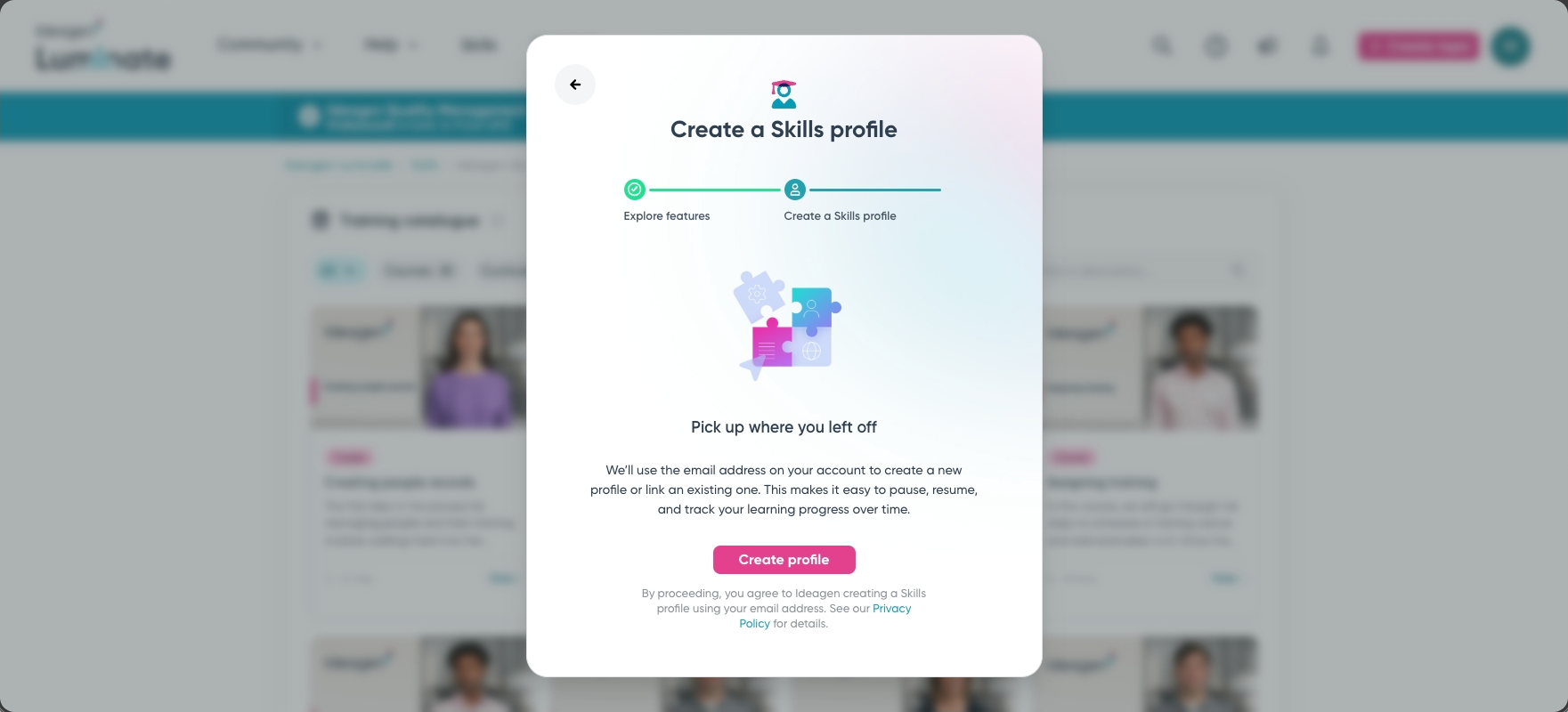
Important: If your Ideagen Luminate account email address is different from an email address you previously signed up for Skills with, your account will not be able to be linked together. Please reach out to your Ideagen contact to rectify this.
If you do not wish to have an account created or linked as a Skills profile, you can close the modal and continue browsing courses, but you will not be able to take any of the available courses or curriculums.
If you encounter an error when creating or linking your account, the team is automatically notified and will be in touch with you as soon as the issue has been rectified.
4. Troubleshooting locked courses
When a course has a lock icon against it, you do not have the correct access to that content. This can occur for several reasons:
- You are not currently logged into your Ideagen Luminate account
- You have not yet activated your email address for your Ideagen Luminate account
- You do not currently have an active Success Plan
- You are on an Essential Plan but you are not one of the three allowed users who can access Skills content, or those three users have not yet been defined by the contact on record
- The system has been unable to match you to an existing Ideagen customer account
Clicking on any of the locked courses will present you with a context pop-up modal. Depending on your situation, the content of this modal will be different and will help guide you through getting in touch with the correct team. Simply follow the on-screen instructions and a member of the team will handle the rest.
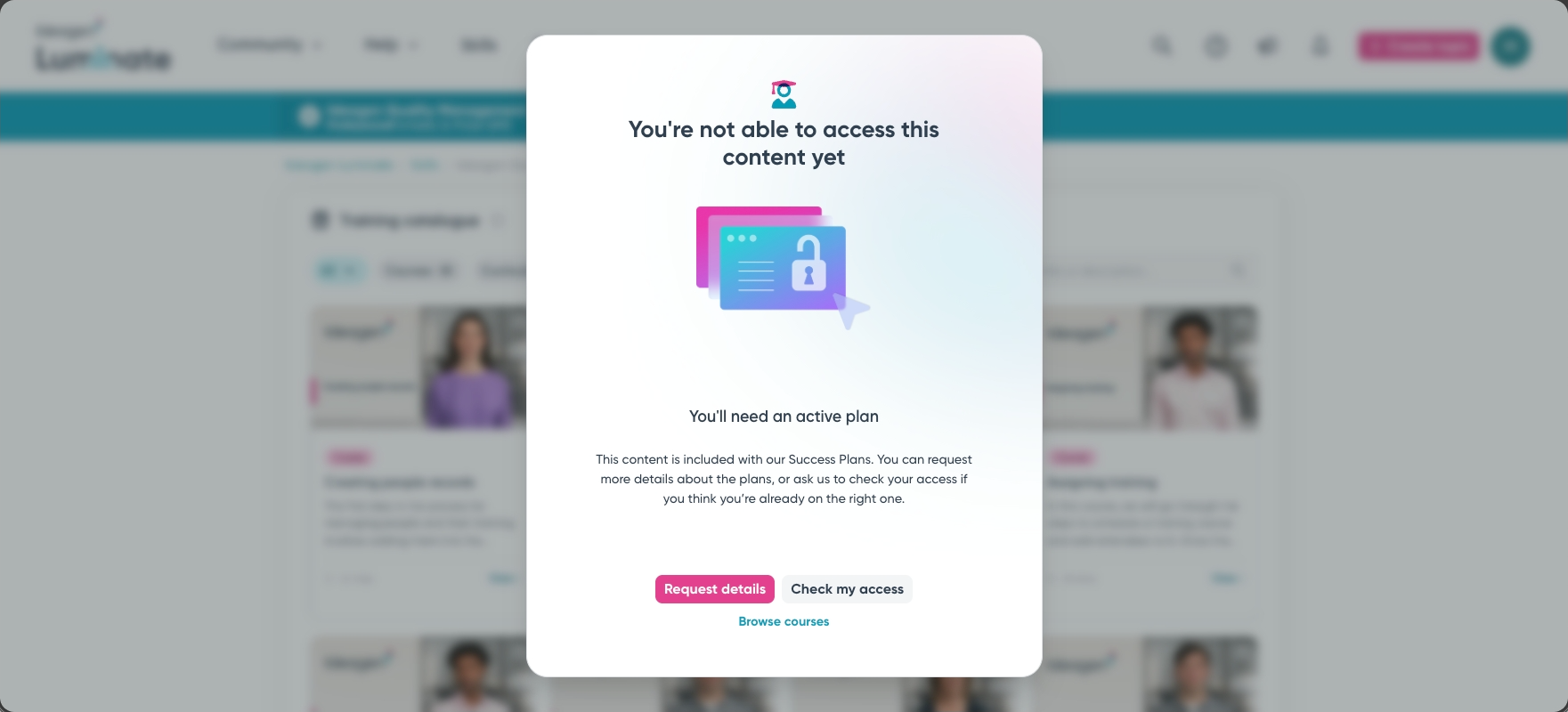
5. Understanding account setup messages
If you have just created an Ideagen Luminate account and see a message informing you that your access is being set up, the automatic processes are currently checking your organisation and what Success Plans are available for your account. This message will go away on its own but it can take upwards of around one hour before you have access.
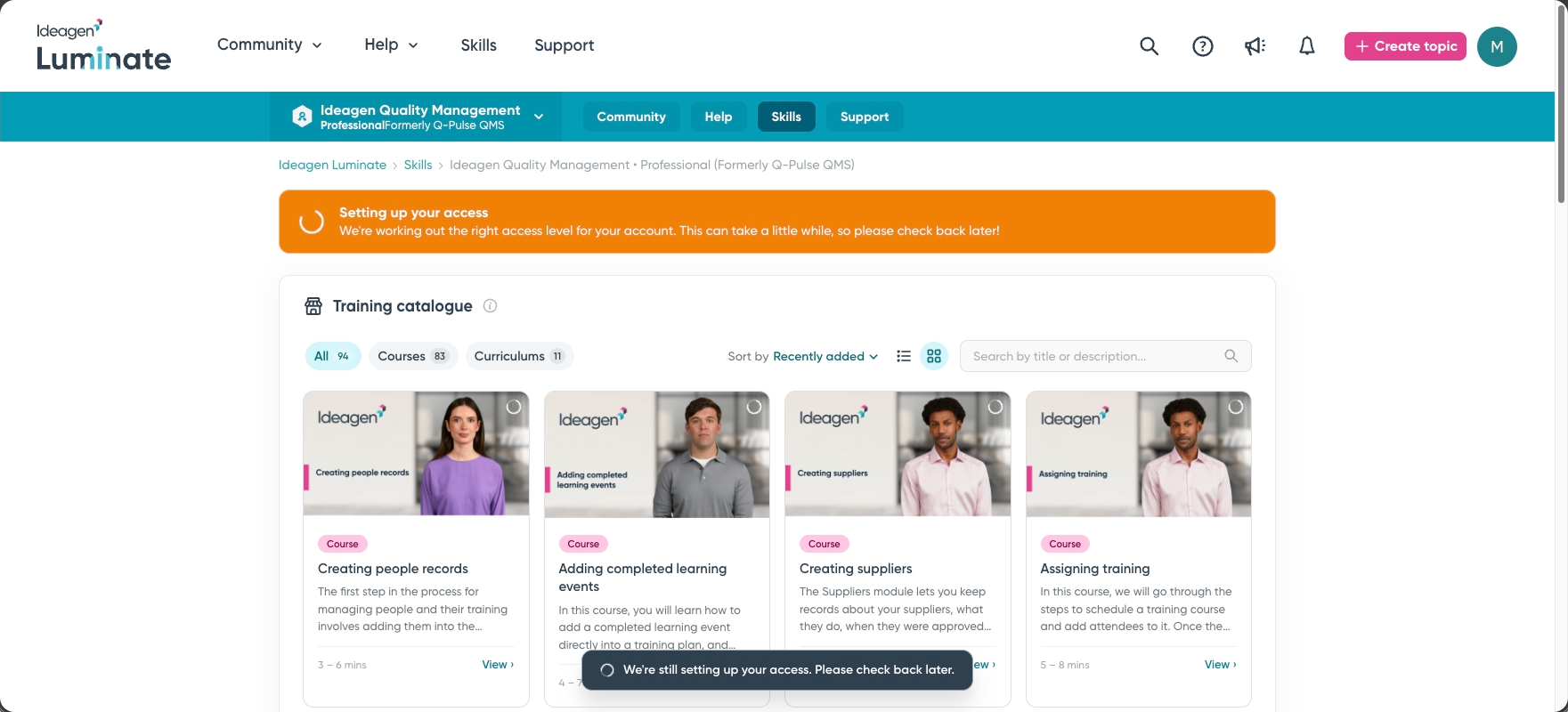
This message can appear on first registration and also may appear if your active Success Plans have recently changed since your last sign in. Once your account has been successfully set up you should no longer see this message.
Note: Should this message continue to be shown to you 24 hours after registering for an Ideagen Luminate account, please get in touch with your Ideagen contact or the Support team.
6. Restoring previous Skills access
Skills access has recently changed through Ideagen Luminate. Community and Skills credentials have been joined together to create a unified login for Ideagen Luminate. This means there are fewer credentials to manage, easier access across Luminate, and more personalised content based on your organisation and role.
If you are not on one of the Customer Success Plans, you will no longer be able to access Skills. However, you may still browse the Training Catalogue to see what content is available for your solution. Any progress you previously made has been paused and access can be re-enabled by signing up to a plan, with additional benefits available depending on the plan you choose.
For more details, visit the Community news article on access to Ideagen Luminate changes.
7. Understanding what happened to your old account
If you previously used Skills, you would have had to sign up with an email address and password separate to all the other services Ideagen Luminate offers. Skills and Community accounts have now been merged into one Ideagen Luminate account. All your progress is still saved and you can continue learning if you are on one of the Success Plans.
8. Finding courses and curriculums
To browse the collection of courses and curriculums:
- Visit the Skills solution list.
- Select your solution (if currently available).
- Use the Training Catalogue to search, filter, or sort the results in any way you would like.
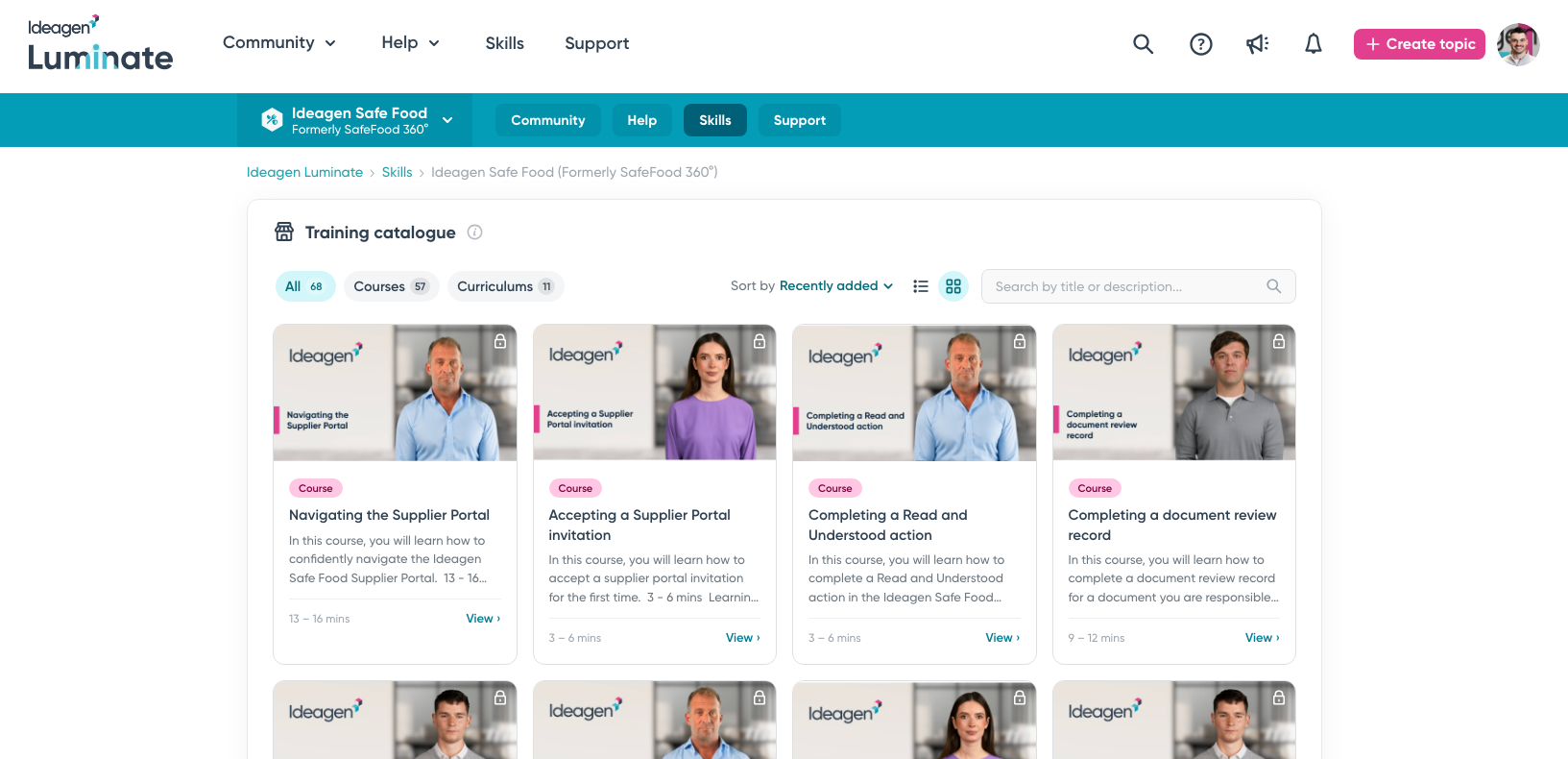
New courses and curriculums are added often, so it is worthwhile checking back on a regular basis to see what is new.
9. Understanding solution availability
Not all Ideagen solutions currently have e-learning courses and curriculums available. Please feel free to check back on a regular basis to see if your solution has been added in the future.
10. Understanding automatic logout
Skills has an automatic timeout learning session feature designed for your security and privacy. If you have not refreshed the page, selected an option, or navigated away from your current page in 60 minutes, you will be automatically signed out of your current session. You can simply start a new Skills learning session to continue where you left off.
11. Using Skills on smaller screens
Currently Skills has been designed for larger screens like tablets, laptops, and desktop computers. The content is best viewed on those larger screens as some of the video walkthroughs and guides can show quite detailed views which may be extremely difficult to view on small screens. This allows you to interact with and view the course as it was created and makes for a more optimal and enjoyable experience.
Note: If you attempt to view content from Skills on a mobile screen, you will be re-routed back to the Ideagen Luminate homepage.
12. Understanding the difference between Skills and Academy
Luminate Skills is a self-sign up portal designed for end users of Ideagen solutions. You do not have to have Academy to be able to use and benefit from Luminate Skills.
Ideagen Academy is an LMS tool used and governed by your company. It hosts some Ideagen courses, but also may have compliance and mandatory training created by your company that you need to take. Learning on Luminate Skills will not be shared with Academy, nor will any Academy administrator be able to view or change any of your information. It is an entirely separate platform.